DDR3 SDRAM which stands for Double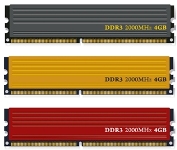 Data Rate Type Three Synchronous Dynamic Random-Access Memory is the higher version of DDR2 and predecessor of DDR4. Compared to DDR2, it is faster and has the power to transfer data eight times of the internal memory speed that makes for a higher bandwidth compared with DDR2. Packed with a frequency of 100 MHz, it can provide 6400 MB/s for maximum data transfer. Put it simply, you can have enough speed with the DDR3 if you ever think of upgrading your memory of DDR2.
DDR3 Over DDR2
The advantage of DDR3 over DDR2 is vast. It requires only 1.5 volts compared to DDR2 1.8 volts and this reduces power demand on memory system but with faster speed in processing. Running at 200 MHz to 800 MHz, it supports higher data rates than DDR2’s 125 to 400 MHz. If you want to improve signal integrity, ground and power distribution while you can always count on speed reliability of your computer, the DDR3 can be efficient in meeting those.
However, there is only one issue if you want to upgrade your memory from DDR2 to DDR3 and that DDR3 has backwards compatibility. That happens if your PCB has only the compatible notches for DDR2. While the DDR2 and DDR3 modules have the same number of pins, the location along with the notches in PCB’s memory socket could prevent the upgrade.
DDR3 was launched in 2007 after JEDEC has been developing it for three years. Desi Rhoden who was the author of the platform was the one behind its creation. What makes Rhoden to materialize DDR3 aroused from the need of it. Intel has produced its Core i7 while AMD put up its Phenom II processor. Phenom II processor needed DDR3 to run smoothly while Core i7 is very much adaptable to the DDR3’s powerful features. Because it has the capacity to provide higher back-to-back access and performance, DDR3 can also significantly improves write signaling and reducing strobe crosstalk thus improving system timing margin. Today, DDR3 memory can run up to 1866 MHz while the Crucial Ballistix module can run speed at more than 2100 MHz.
What Uses It?
Our computers from notebooks, desktop and even with server computing, these can all benefit from DDR3 high-performance drive. With a lesser power consumption requirement, higher signaling speed and more powerful bandwidth, its reliability in the world of computing can be amazing. Imagine that you can now have better control on data capture, time delta and receiver timing while improving stability, this is what the DDR3 can do.
A lot of giant electronics companies now use DDR3. Samsung utilized this memory on the number of their desktops and servers. Apple also installed a built-in RAM of 1 GB DDR3 on its iPhone5. More and more gadgets are now installed with DDR3 that are based on various platforms.
Nevertheless, if you want a better upgrade and faster, here comes the DDR4 also with far better features. The first of its kind was manufactured by Samsung in 2011 but find its way through the technology stream and now a number of electronic companies are also manufacturing DDR4 for tablets and other portable gadgets.