pctechguide.com

  • Home
  • Guides
  • Tutorials
  • Articles
  • Reviews
  • Glossary
  • Contact

The Best Kids Smartwatch for Parents to Buy

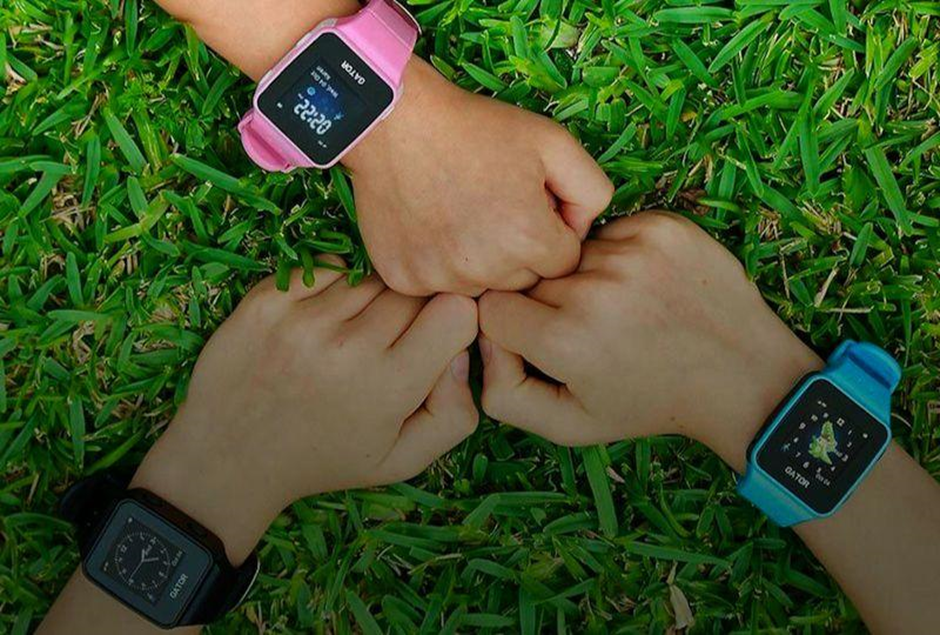
The process of separating a child from parents has never been easy for anyone. At the initial stages of a child’s socialization (kindergarten, school), children’s smartwatches will be of great help to modern parents. In addition to telephony and GPS tracker functions, modern children’s smartwatches are also equipped with functions for exchanging short messages with parents, a fitness tracker, an alarm clock, a camera, and other useful things. How to choose the best smartwatch for your kid — read below.
Why Do You Need a Children’s Watch?

Many parents are wondering what is better – a smartwatch or a phone. According to the source, the main advantages of a smartwatch compared to a phone are the following:

  • It quickly sends a signal for help in case of a dangerous situation.
  • The watch is constantly on the wrist, it is more difficult to lose or break it.
  • The gadget is always visible, so the child will not miss your call.
  • A limited choice of entertainment so that the student is not distracted in the classroom. The most common entertainment apps for kids’ smartwatches are educational programs, and apps to encourage physical activity.
  • The lack of functions also affects the battery power – the smartwatch does not discharge as quickly as the phone.

Before purchasing a kids’ smartwatch, decide on the features you require. The functionality of the devices influences their price and purpose. Pay attention to durability: case materials, dial, and strap. It is better for small children of preschool age to buy shock-resistant watches, while for teenagers – a more functional device.

Key Features You May Need

All functions can be divided into two groups: basic and additional. The first group is present in almost every model and is needed for its efficient operation, the second – expands the functionality of smartwatches.

More often, parents are looking for gadgets that determine the location of the child. This feature is found in all children’s smartwatches, but it works differently in many models. The most accurate method for determining geolocation is GPS. To make the obtained coordinates more reliable, an LBS scanner and Wi-Fi are also built into the best children’s smartwatches.
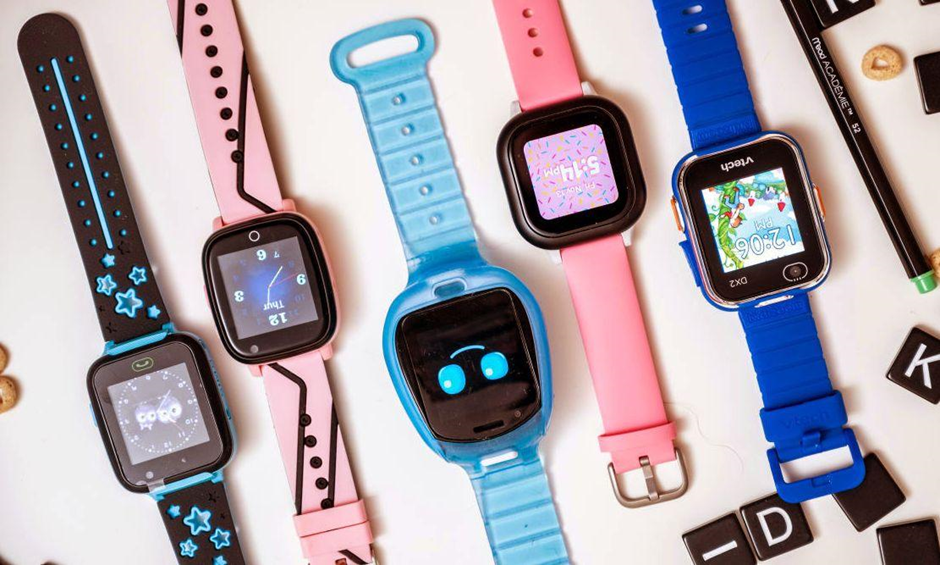
Among the other features, we recommend considering the following ones:

  1. Calls – parents will be able to call the child and vice versa. Moreover, you can select the type of notification: sound + vibration or only one mode.
  2. Voice and text messages – text messages are sent only one way – from the smartphone to the watch. Voice notifications can be sent in both directions.
  3. In an emergency, the child can hold down the SOS button for a few seconds and send out an alarm.
  4. Pedometer – it tracks the number of steps taken per day. An excellent opportunity to control the physical activity of your child.
  5. Video call – it facilitates communication with peers and adults. In addition, it is also a good control tool – you can check the location of the child at any time.

Kids smartwatches can be used by toddlers from 3 years old. They have simple, intuitive controls that even the smallest ones can figure out. The characteristics of the watch must be age-appropriate. Accessories with basic functions are suitable for preschoolers, while a teenager needs a simplified version of an adult gadget.

Filed Under: Articles

Latest Articles

Remove System Doctor 2014 Virus

System Doctor 2014 is a malware client. That means it's a computer virus. This malware acts like it is a real antivirus client. It shows false error messages and bogus scan results in an effort to trick you into making a purchase. To remove System Doctor 2014 you will have to stop the main … [Read More...]

1999 Site Updates

Date Details of updates 22Dec '99 New millennium changes: The site is honoured to become an affiliate of the Maximum PC Network, operated by Future Publishing Ltd; New Download option introduced and price of CD version reduced; 14Dec '99 Motherboards: Addition sections on PCI-X - a 133MHz … [Read More...]

Maximise the Use of Group Chats to Brainstorm Advertisement Plans

With the advent of modern communication tools, you can now stay in contact with the people you work with even when you are not at the office or during the weekends. The use of group chats, for instance, is useful in sending messages to everyone in your team at once. You are saving time and energy … [Read More...]

Top Taplio Alternatives in 2025 : Why MagicPost Leads for LinkedIn Posting ?

LinkedIn has become a strong platform for professionals, creators, and businesses to establish authority, grow networks, and elicit engagement. Simple … [Read More...]

Shocking Cybercrime Statistics for 2025

People all over the world are becoming more concerned about cybercrime than ever. We have recently collected some statistics on this topic and … [Read More...]

Gaming Laptop Security Guide: Protecting Your High-End Hardware Investment in 2025

Since Jacob took over PC Tech Guide, we’ve looked at how tech intersects with personal well-being and digital safety. Gaming laptops are now … [Read More...]

20 Cool Creative Commons Photographs About the Future of AI

AI technology is starting to have a huge impact on our lives. The market value for AI is estimated to have been worth $279.22 billion in 2024 and it … [Read More...]

13 Impressive Stats on the Future of AI

AI technology is starting to become much more important in our everyday lives. Many businesses are using it as well. While he has created a lot of … [Read More...]

Graphic Designers on Reddit Share their Views of AI

There are clearly a lot of positive things about AI. However, it is not a good thing for everyone. One of the things that many people are worried … [Read More...]

Guides

  • Computer Communications
  • Mobile Computing
  • PC Components
  • PC Data Storage
  • PC Input-Output
  • PC Multimedia
  • Processors (CPUs)

Recent Posts

Perfect Data Solutions PST Repair Review

PROS: Quick and easy installation. CONS: You must register this product to use it. Otherwise, you just get a demo screen. OVERVIEW: Perfect Data … [Read More...]

Merom – Intel’s mobile Core 2 Duo CPU technology guide

The announcement of the successor to the Intel Core Duo processor in the summer of 2006 also marked the reunification of Intel's desktop and … [Read More...]

Handheld Synchronization

Without the capability to transfer and synchronize data back to a desktop system, there's little benefit in having a word processor or similar … [Read More...]

[footer_backtotop]

Copyright © 2026 About | Privacy | Contact Information | Wrtie For Us | Disclaimer | Copyright License | Authors